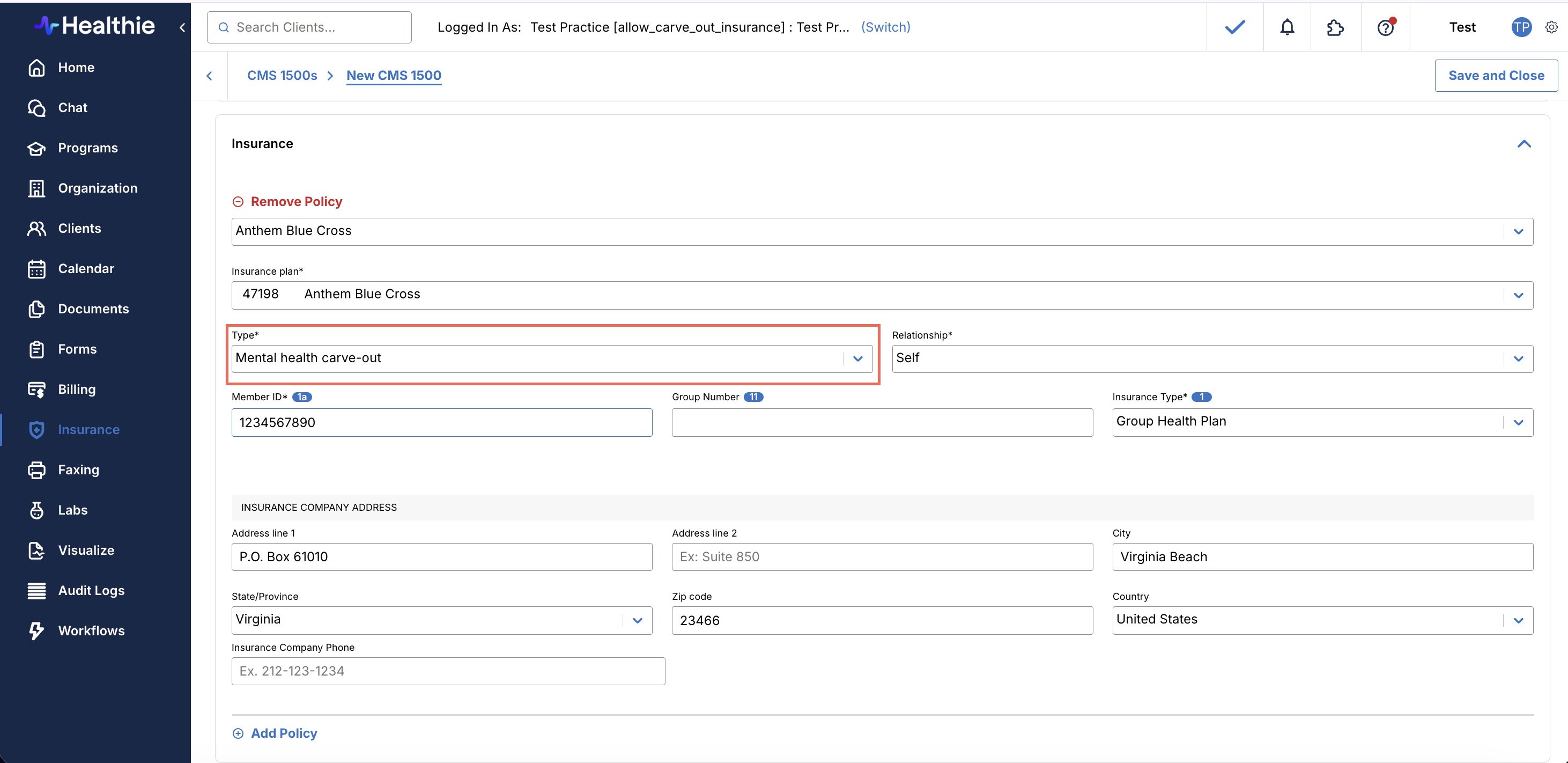
Mental Health Carve-Out Plan
Some health insurance plans separate mental health benefits from general medical coverage, handing mental health administration to a distinct carrier or managed behavioral health organization. This is known as a mental health carve-out.
In practice, a client may have two active policies: one for general medical claims and one specifically for mental health and therapy services. When billing, claims need to route to the correct carrier — general medical claims go to the primary insurer, while therapy and behavioral health claims go to the carve-out plan. Without a clear way to distinguish these policies, billing errors and claim rejections are common.
How Healthie Supports Mental Health Carve-Out Plans
Healthie provides a Mental Health Carve-Out designation on insurance policies, giving providers a clear way to tag which of a client's policies is their carve-out plan.
The designation is stored on the policy and surfaces wherever policies appear in Healthie — including the CMS 1500 claim form — and is accessible via the Healthie GraphQL API.
Mental Health Carve-Out plan designation is available to organizations on request and is not enabled by default. To request enablement for your account, email hello@gethealthie.com.
Note: This is a designation, not an automation. It does not automatically route, split, or adjudicate claims. It is a tracking and identification tool — the foundation for accurate billing workflows.
Designating a Carve-Out Policy on a Client Profile
Once the feature is enabled for your organization, you can add or update a client's insurance policy to designate it as a mental health carve-out directly from their profile.
Step 1: Open the Client Profile Navigate to the client whose policy you want to update and select the Insurance / Billing tab.
Step 2: Add or Edit an Insurance Policy To add a new policy, click Add Insurance Policy. To update an existing policy, click the edit icon next to the relevant policy.
Step 3: Set the Plan Type to Mental Health Carve-Out In the Plan Type dropdown, select "Mental Health carve out." This option appears between Secondary and Inactive in the list. Complete any remaining required fields and save.
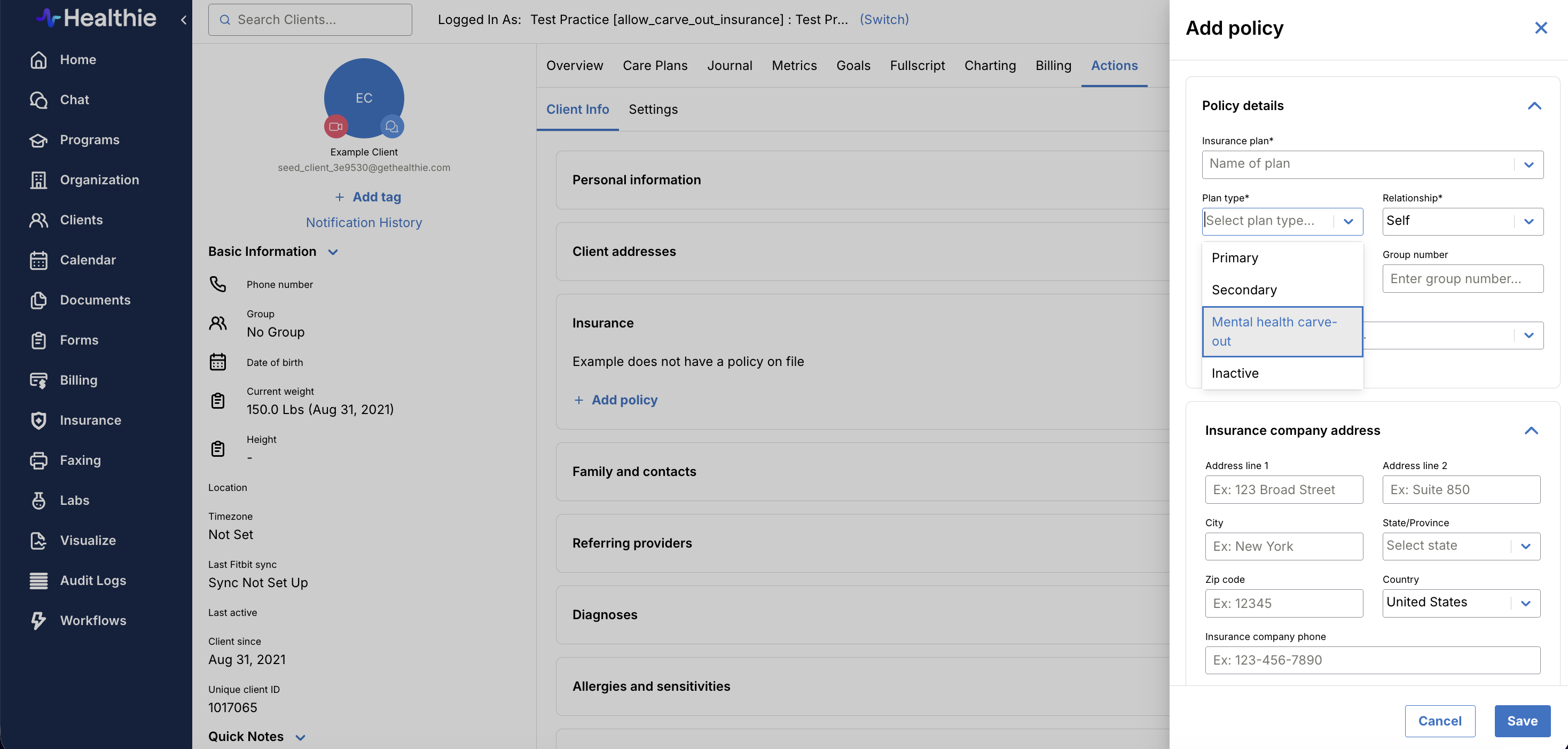
Step 4: Confirm the Designation The policy will now be tagged as a mental health carve-out. This designation is visible on the client's profile and will carry through to any CMS 1500 claims generated for that client.
CMS 1500 Claims
When a CMS 1500 claim is generated for a client with a policy designated as Mental Health Carve-Out, the plan type will automatically reflect the carve-out designation in the claim. No additional steps are required — the designation set on the client's profile flows through to the claim automatically.