
Rerun AI Scribe
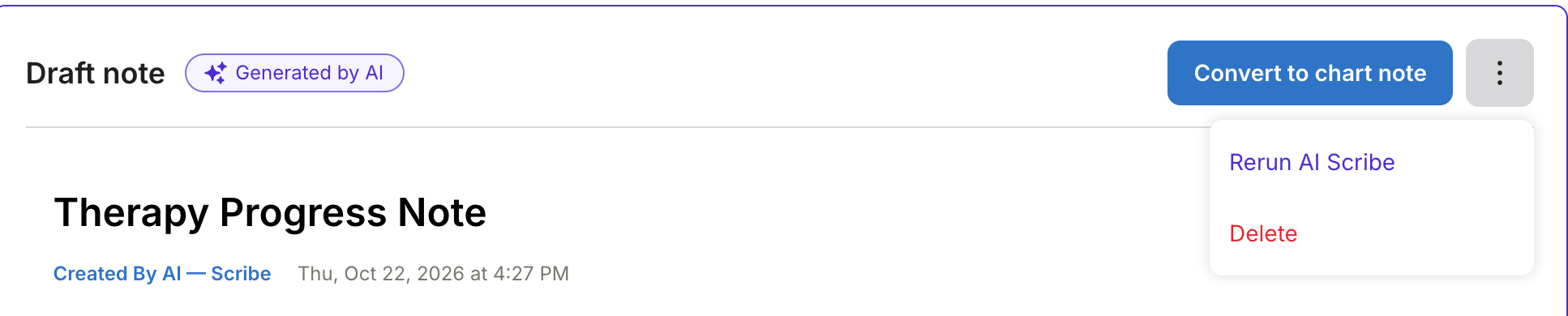
Rerun AI Scribe regenerates a draft note when the first draft doesn't meet your needs. You can rerun once per appointment from the three-dot menu on the Draft note card.
Rerun AI Scribe is available on the same plans as AI Scribe.
In this article:
Access
Rerun AI Scribe is available on the same plans as AI Scribe, and providers can rerun a draft note:
- Provider on the appointment: Can rerun your own draft notes.
- Org admins & owners: Can rerun a draft note for any appointment they can open.
💡 Note: An admin or owner who reruns a draft note uses that appointment's one rerun.
Rerunning a Draft Note
Rerun a draft note when AI Scribe missed details, got something wrong, or didn't follow your instructions.
| ⚠️ Note: Rerunning replaces the current draft note, and you can't undo it. You get one rerun per appointment. |
- Open the draft note from your appointment or charting page.
- Click the three-dot menu on the Draft note card.
- Select Rerun AI Scribe.
- Select the reasons you are rerunning: Contains inaccurate information, Insufficient detail or completeness, Does not reflect provided instructions, or Wrong template for this appointment.
- Click Add more context and describe what should have been different (optional, up to 5,000 characters).
- Click Rerun AI Scribe.
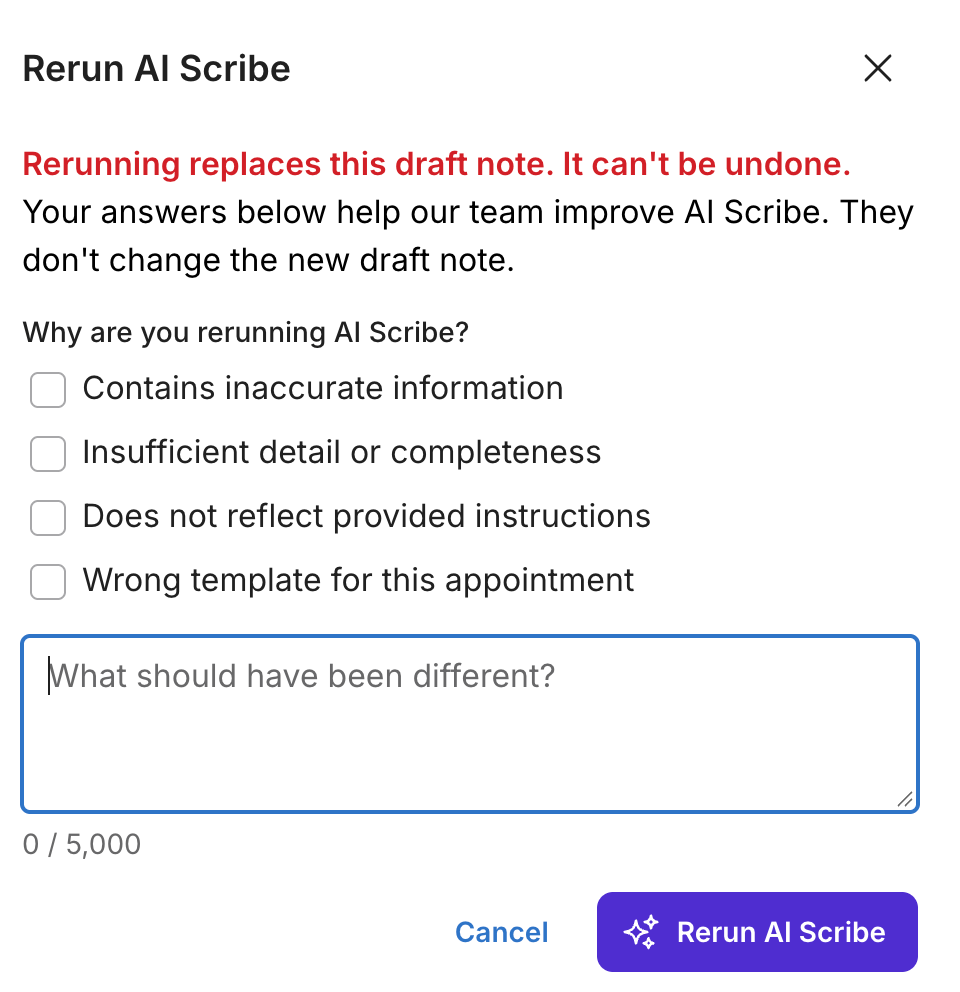
Your reasons and context go to the AI Scribe team to help improve AI Scribe. They don't change your new draft note. If you click Cancel or press Escape, nothing is sent and your draft note stays as it is.
What Happens During a Rerun
After you confirm, the card shows Rerunning your draft note, this may take a minute... with a spinner. When the new draft is ready, it replaces the old one and opens automatically. Review the new draft, then click Convert to chart note when you're ready.


If the Rerun Fails
If the rerun fails, the card shows a red message: An error occurred rerunning AI Scribe. Contact support. Your original draft note stays in place and you can still delete it. Rerun AI Scribe stays disabled.
Limits
These limits apply to every rerun.
- One rerun per appointment: After a rerun, Rerun AI Scribe is disabled for that appointment.
- Draft notes only: Once you convert a draft to a chart note, the rerun option no longer appears.
- No recovery of the old draft: The new draft replaces the old one.