
Prevent Clients from Editing Their Name
Org admins can lock a client's legal name so it stays provider-controlled. When the setting is on, clients can no longer edit their legal first or last name in the client portal or mobile app. The setting is off by default, so nothing changes until an admin turns it on.
Turn the Setting On or Off
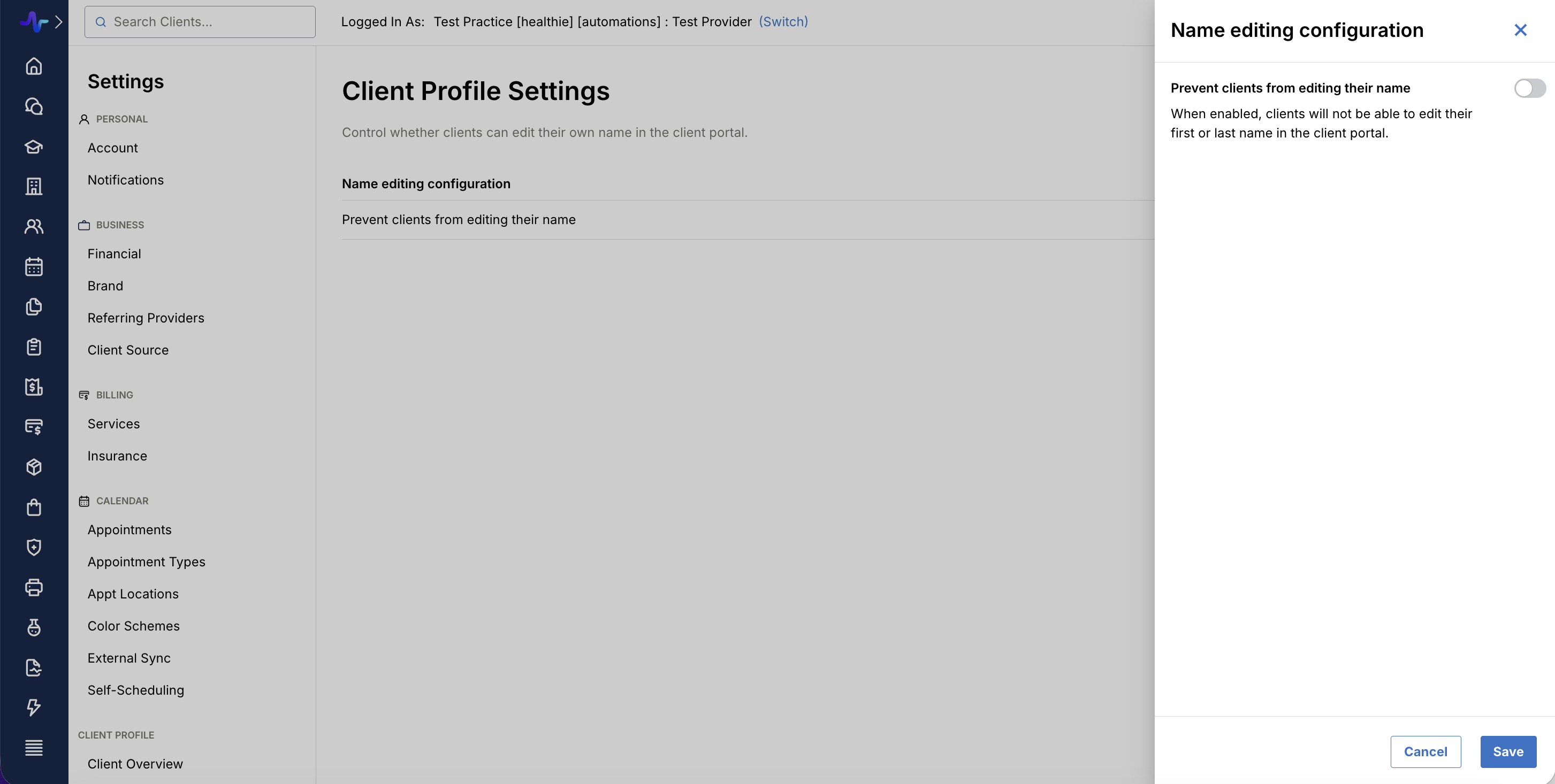
- Go to Settings > Client Profile Settings > Settings.
- In the Name editing configuration section, click Edit.
- Enable or disable Prevent clients from editing their name.
- Save your changes.
The setting applies to all clients in your organization.
What Changes When Name is Locked
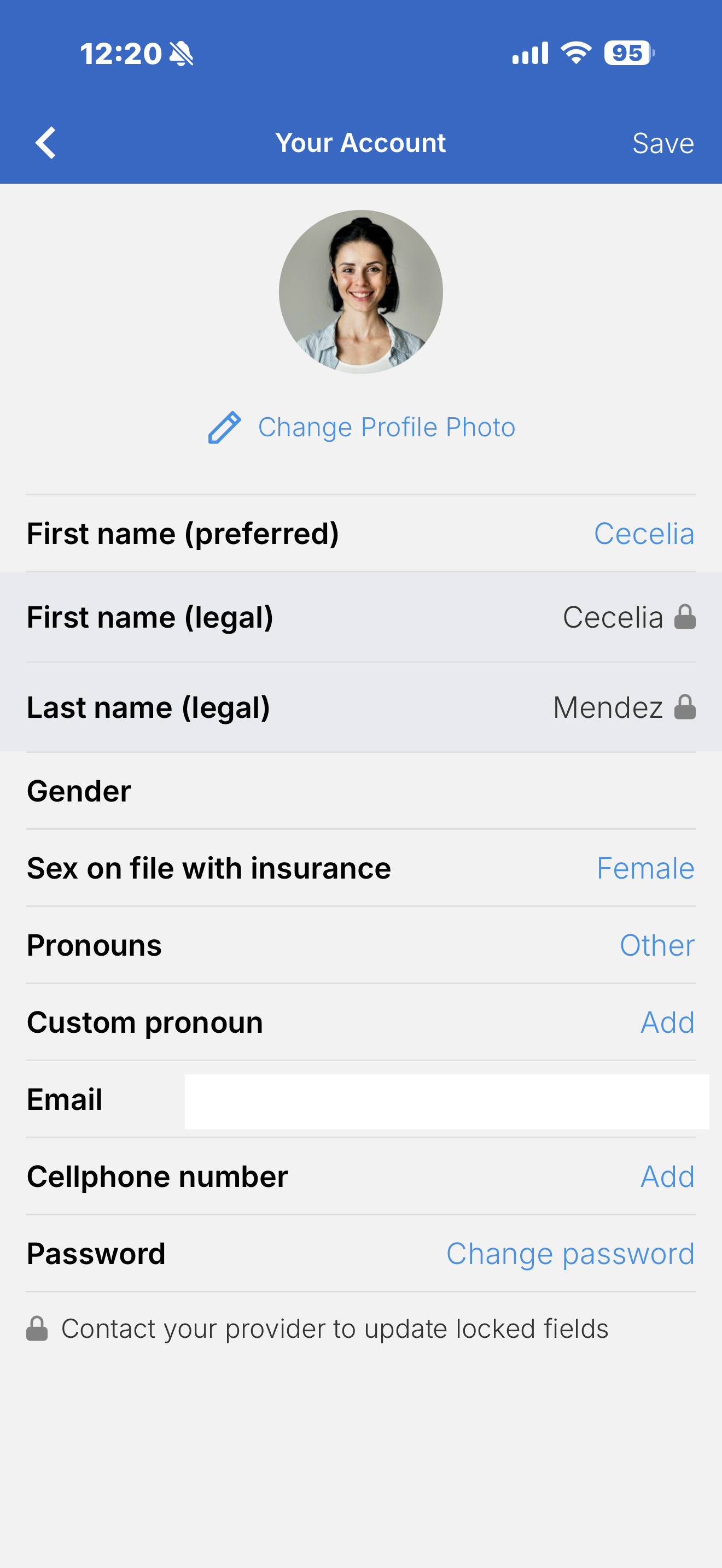
- Legal first and last name are read-only for clients. This applies in both the client portal and the mobile app. Helper text tells clients to contact their provider to request a name change.
- Preferred first name stays editable. Clients can still update how they'd like to be addressed.
- Providers can still edit client names. Nothing changes for provider-side editing.
- API changes are blocked too. Legal name changes made through the API are also blocked while the setting is on.
FAQs
Is this on by default?
No. Clients can edit their names until an admin enables the setting.
Can I lock names for some clients but not others?
No. The setting applies to the whole organization.
Does this lock other profile fields, like date of birth or address?
No. It applies only to legal first and last name.