E-Labs: View Lab Results in Healthie
Healthie enables you to to view lab results from any Healthie lab partner in the Client Profile Overview, Quick Profile and the Labs Dashboard.
In this article:
Permissions to View Lab Results
An E-Labs integration must be enabled in order to view lab results in Healthie. Learn more here.
Once enabled, please review your team member permissions to ensure the following are enabled for the necessary team members:

View Lab Results from Labs Dashboard
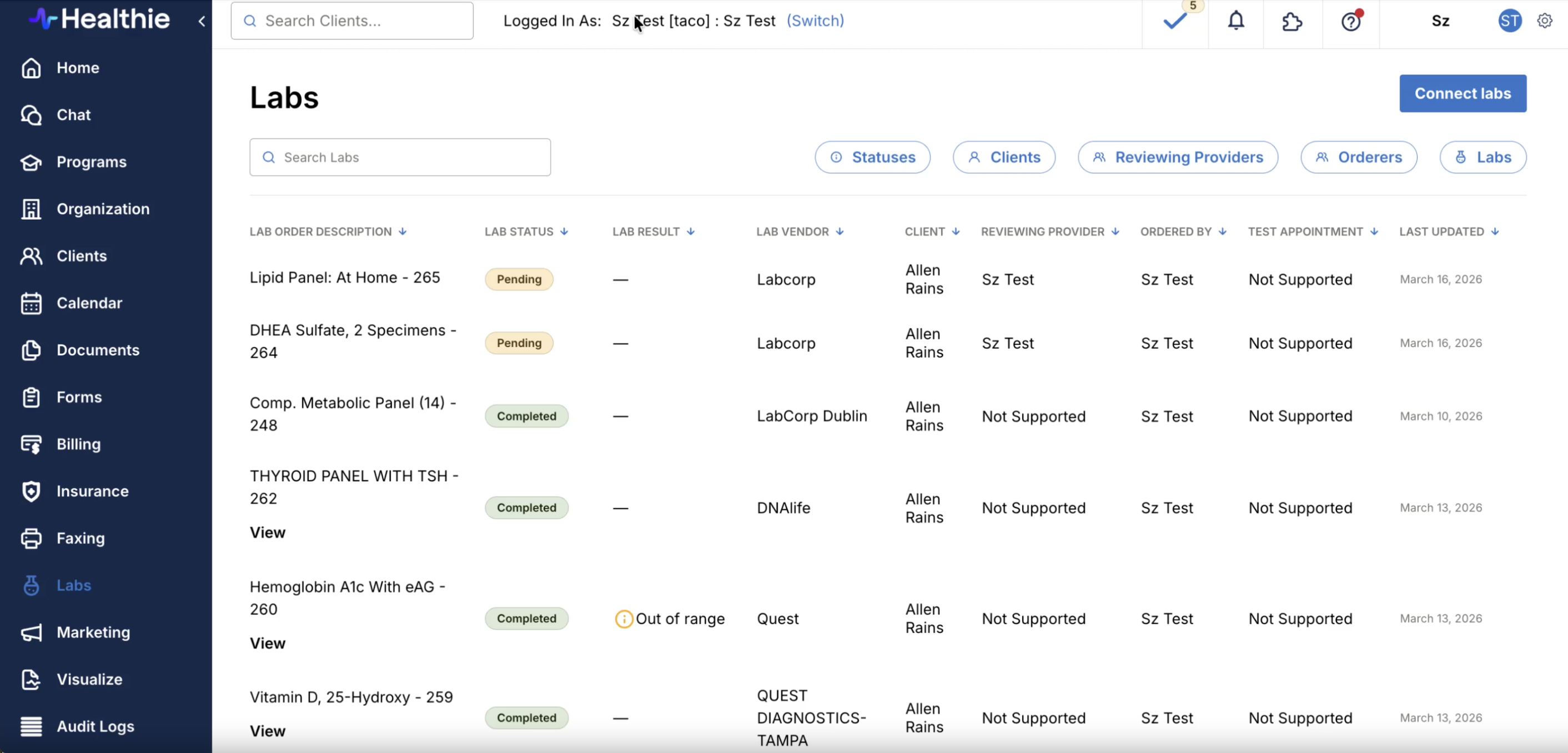
You'll find the Labs Dashboard within the main left-side navigation of Healthie. This will show all lab results, across all clients. The Dashboard clearly displays the following information:
- Lab Order Description
- Lab Status (Completed, Pending, Error or Cancelled)
- Lab Result (Normal, Out of Range, Critical or Null)
- Lab Vendor
- Client
- Reviewing Provider
- Ordered By
- Test Appointment
- Last Updated
Note: a lab status will display as Normal, Out of Range or Critical when results are available as structured data (not for PDF-only results). If the results are PDF-only, the lab status will be Null.
Use the filters from the Labs page to further refine your search:
- Filter by lab order status
- Filter by client(s)
- Filter by provider(s)
Click on an individual lab name to view additional details.

View Lab Results from Client Profile
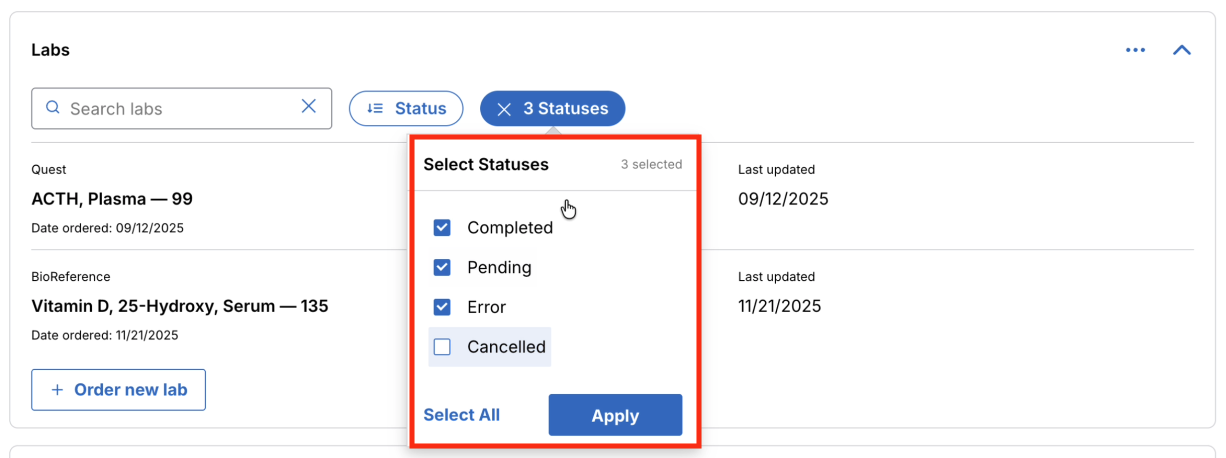
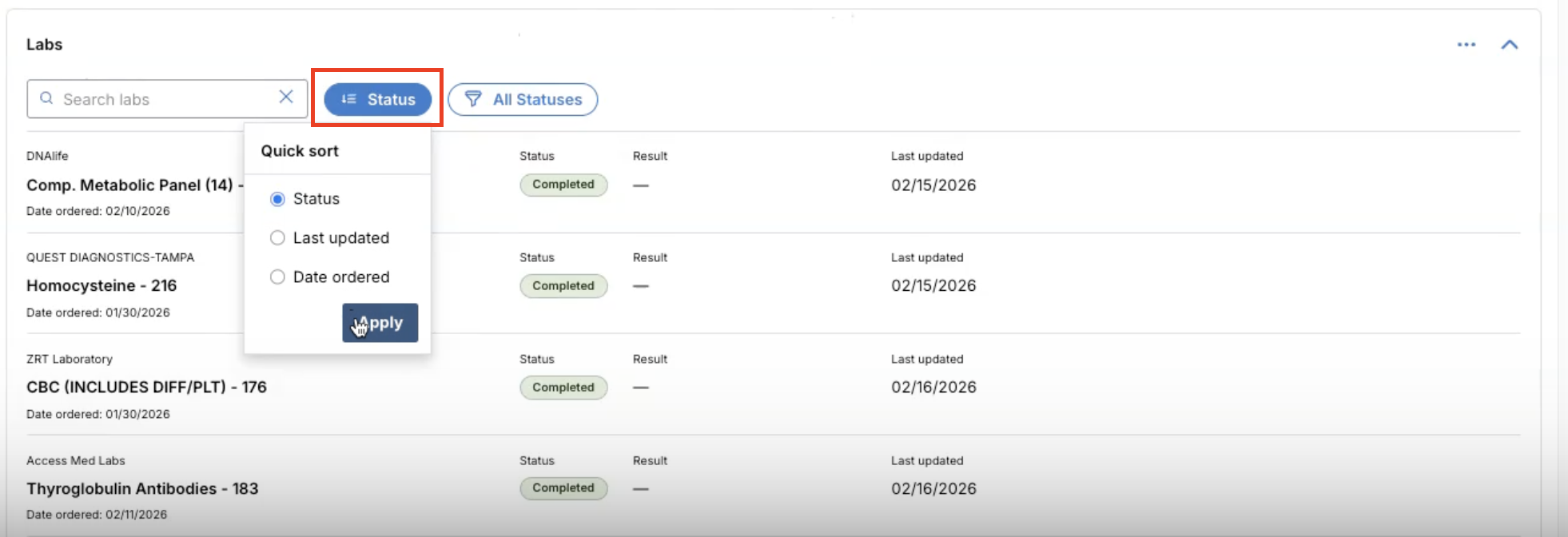
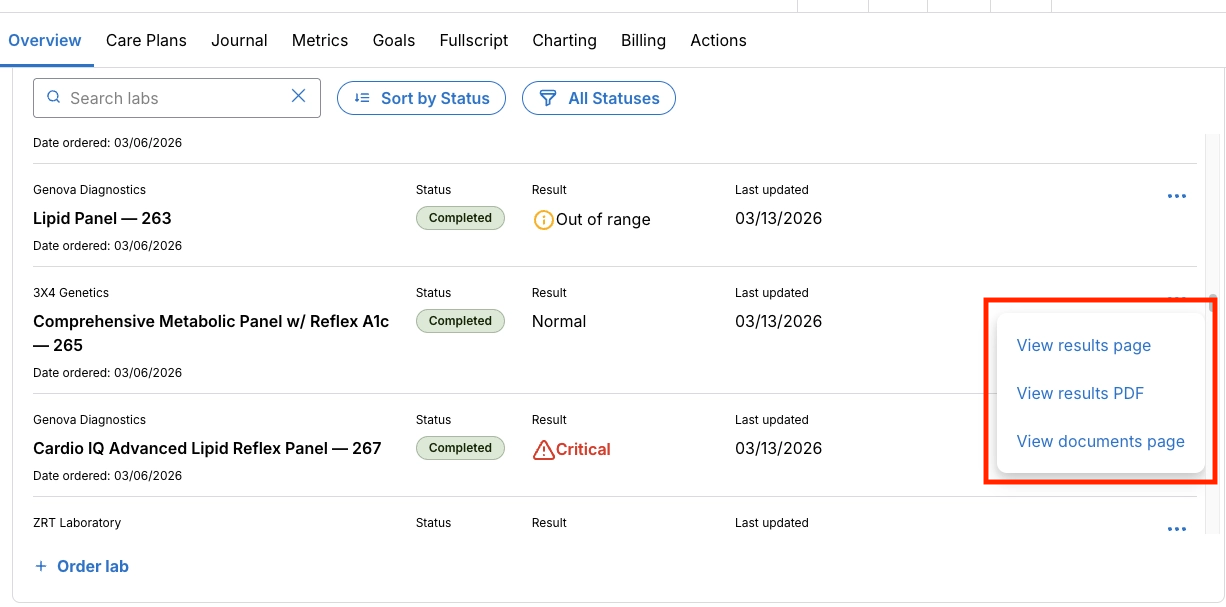
Within the Clients Profile > Overview you'll find a Labs widget. From the Client Overview, you have the option to search or filter by lab status (Completed, Pending, Error or Cancelled) or sort results by Status, Last Updated or Date Ordered.

If there is further detail to review for a lab results, click the [...] for that lab > View results page, View results PDF, or View documents page.
- View results page will bring you to the Labs tab in the left-hand navigation. This option only appears when lab results are available as structured data (not for PDF-only results)
- View results PDF will download and open a PDF file
- View documents page will take you to the client's Document library where you can locate the results as a PDF
View Lab Results in Quick Profile
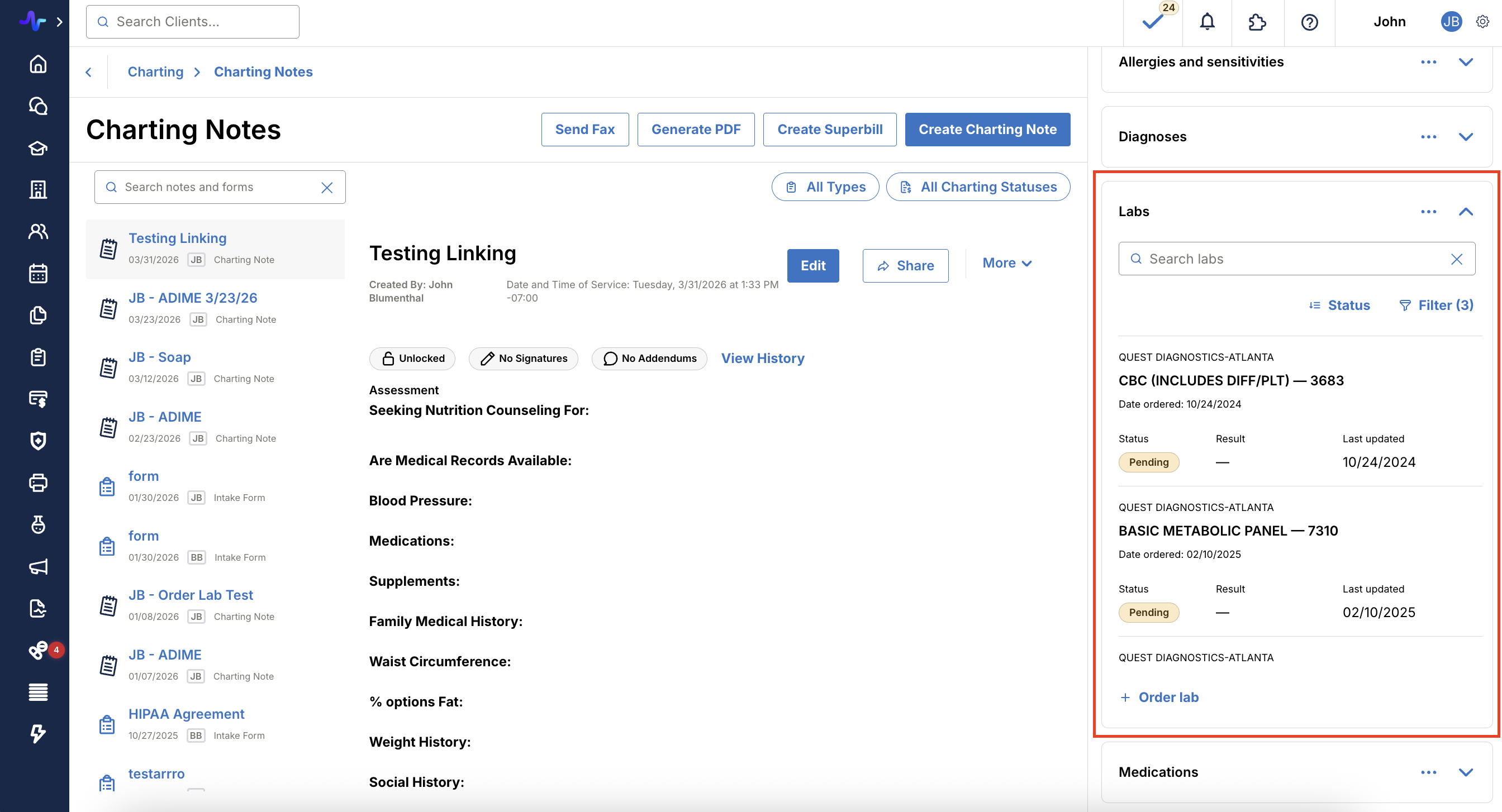
Within a client's Quick Profile > Labs, you have the option to search or filter by lab status (Completed, Pending, Error or Cancelled) or sort results by Status, Last Updated or Date Ordered.
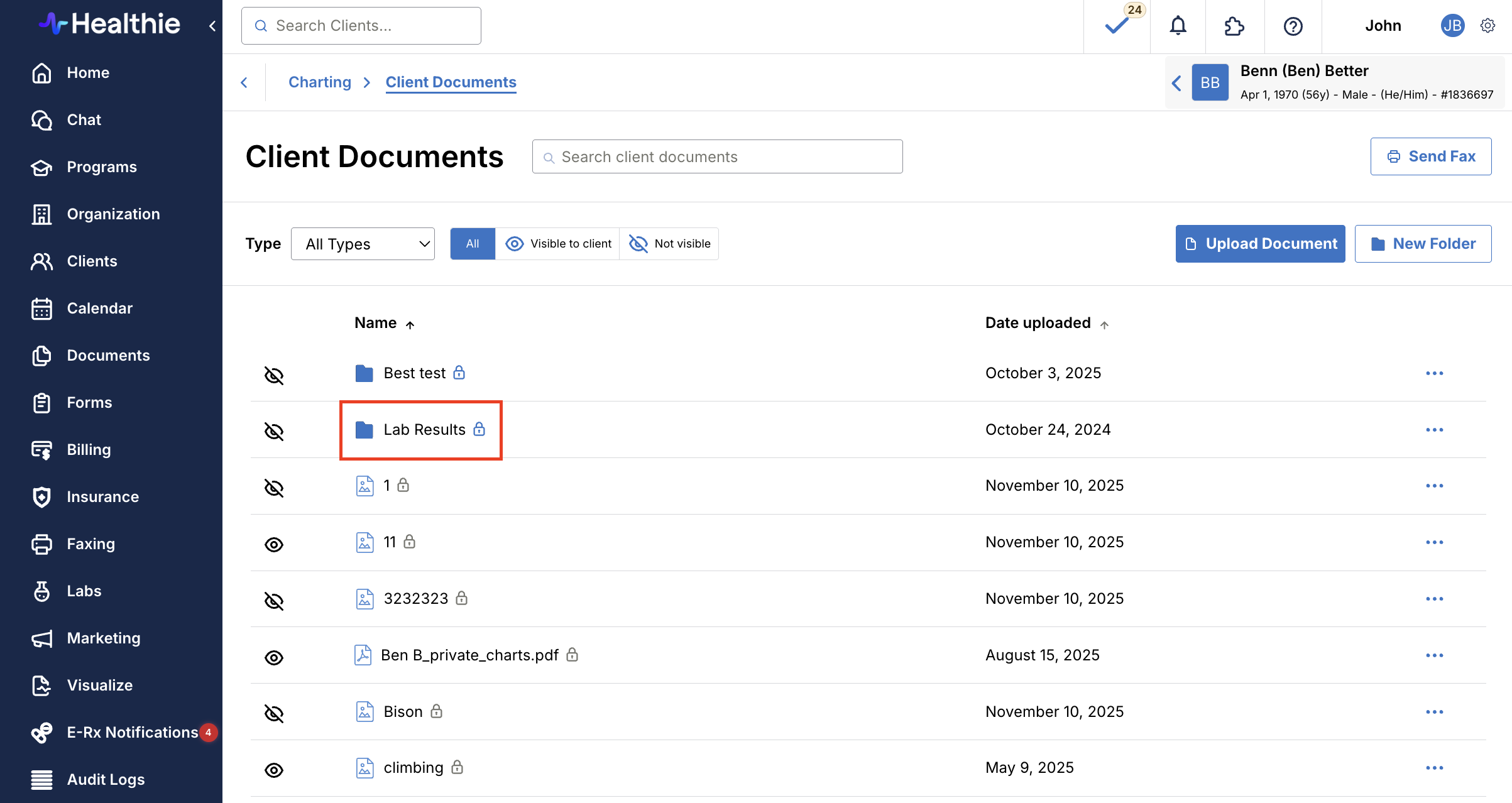
View Lab Results in Client Documents
Within the Client's Profile > Charting > Documents you'll find a PDF version of completed lab results, if available. Clients will be able to access their lab results from their Client Portal.