
Fitbit and Healthie Integration
Fitbit will continue to sync to Healthie through a new channel. Google has sunset the Fitbit app, so clients who want to keep syncing their data to Healthie will need to connect through the Google Health app and Health Connect (Android) or Apple Health (iOS). The current direct connection ends on October 30, 2026.
In this article:
What's Changing
Google is deprecating the Fitbit Web API that Healthie uses to sync Fitbit data.
- October 30, 2026: Healthie's direct connection to Fitbit ends, and clients can no longer connect a Fitbit account directly. Fitbit data syncs through the Google Health app instead.
- Existing entries: Data already synced stays in Healthie.
| ⚠️ Note: The direct Fitbit connection ends on October 30. To keep your clients' Fitbit data syncing without a gap, ask them to set up Health Connect or Apple Health by October 28. |
Keep Syncing Fitbit Data
Fitbit data now reaches Healthie through your client's phone instead of a direct Fitbit connection. Your client's Fitbit connects to the Google Health app. The Google Health app shares data with Health Connect on Android or Apple Health on iOS. Your client then sets up that integration in the Healthie mobile app.
Step 1 — Turn on the integration for your client
- Open your client's profile.
- Click Actions and select the Settings tab.
- Select Google Health Connect for Android clients or Apple Health for iOS clients.
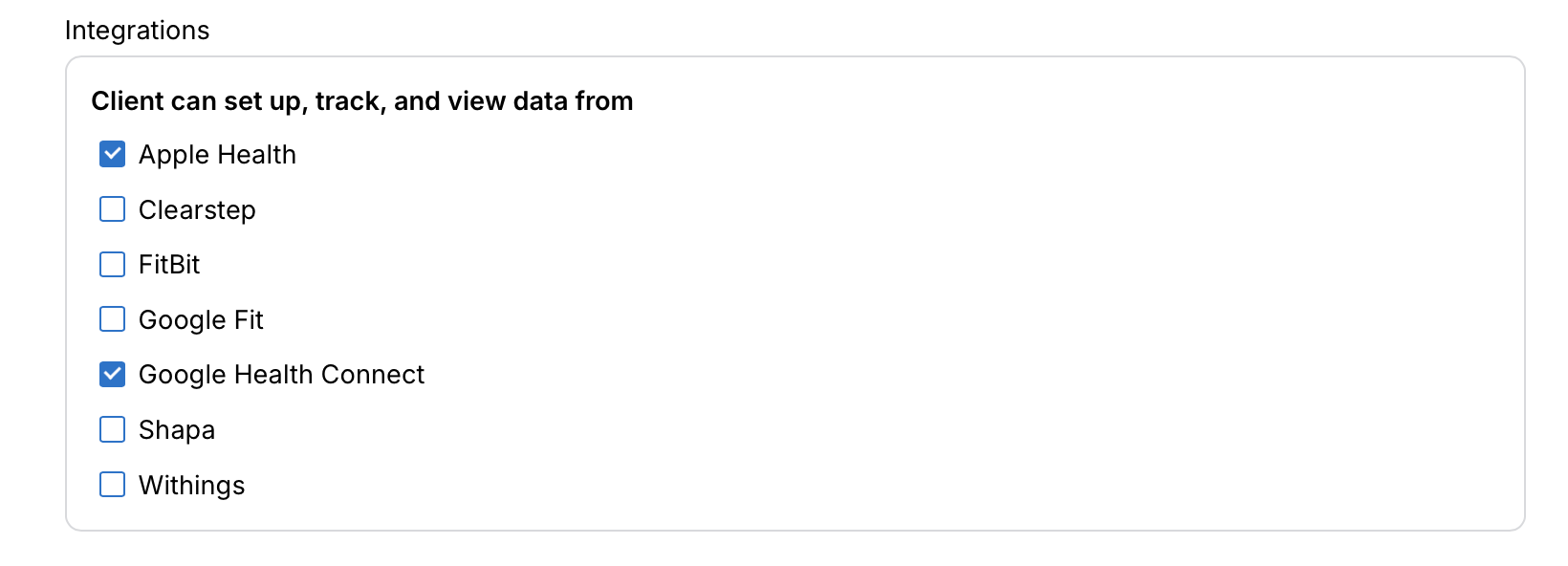
You can also enable this integration on a Global or Group Level . If you customize this for a specific client it will override the global setting.
Step 2 — Ask your client to set up the connection
- When logged into the mobile app, clients can navigate to the menu item > Settings
- From there, select Integrations
- They will see the option to connect to Apple Health or Health Connect, depending on their device
Android Users
On Android, your client connects Fitbit to the Google Health app, turns on sharing with Health Connect, and then sets up the Health Connect integration in the Healthie mobile app.
iOS Users
On iOS, your client connects Fitbit to the Google Health app, turns on sharing with Apple Health, and then sets up the Apple Health integration in the Healthie mobile app.

Data Changes
Health Connect syncs more detailed data than Fitbit did, including finer-grained heart rate, sleep stages, blood pressure, body temperature, and workouts with exercise types.
However, some data stops syncing after October 30:
- Food tracking: The daily food summary from Fitbit and MyFitnessPal stops syncing.
- Peak heart rate: Fitbit's peak heart rate value stops syncing.
- Body fat: Body fat from Fitbit scales stops syncing on Android.
Web-Only Clients
Clients who use Healthie only on the web do not have a replacement for Fitbit syncing, because Health Connect and Apple Health sync through the Healthie mobile app.
After October 30, these clients can add their entries to their journal manually.
Existing Data
Fitbit entries already in Healthie are not deleted. They stay in your clients' journals and charts, and they continue to show Fitbit as the source.