
Fullscript Labs and Healthie
Fullscript integrates with Healthie to make it easy for providers to order labs and specialty tests for clients, and automatically syncs lab results into Healthie. Labs on Fullscript are currently available only to adult patients ages 18 and older, and those living in the US (except NY, NJ, RI and HI).
Note: Rupa Health has joined Fullscript. Rupa accounts will be moving to labs on Fullscript throughout 2026, where they'll be able to continue ordering from a trusted catalog of industry-leading labs, deliver a simplified patient testing experience, and apply meaningful insights from results. When it's time for your account to move, you'll receive clear guidance and next steps on how to do so. Learn more here.
IN THIS ARTICLE:
Connect your Healthie account with Fullscript
For individual practitioners
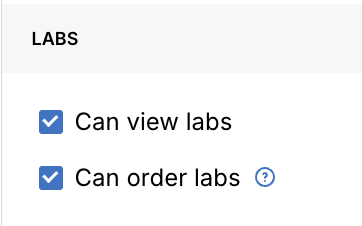
- Enable the permissions Can view labs, Can order labs, and Should see option to use Fullscript within Healthie. Click Save.
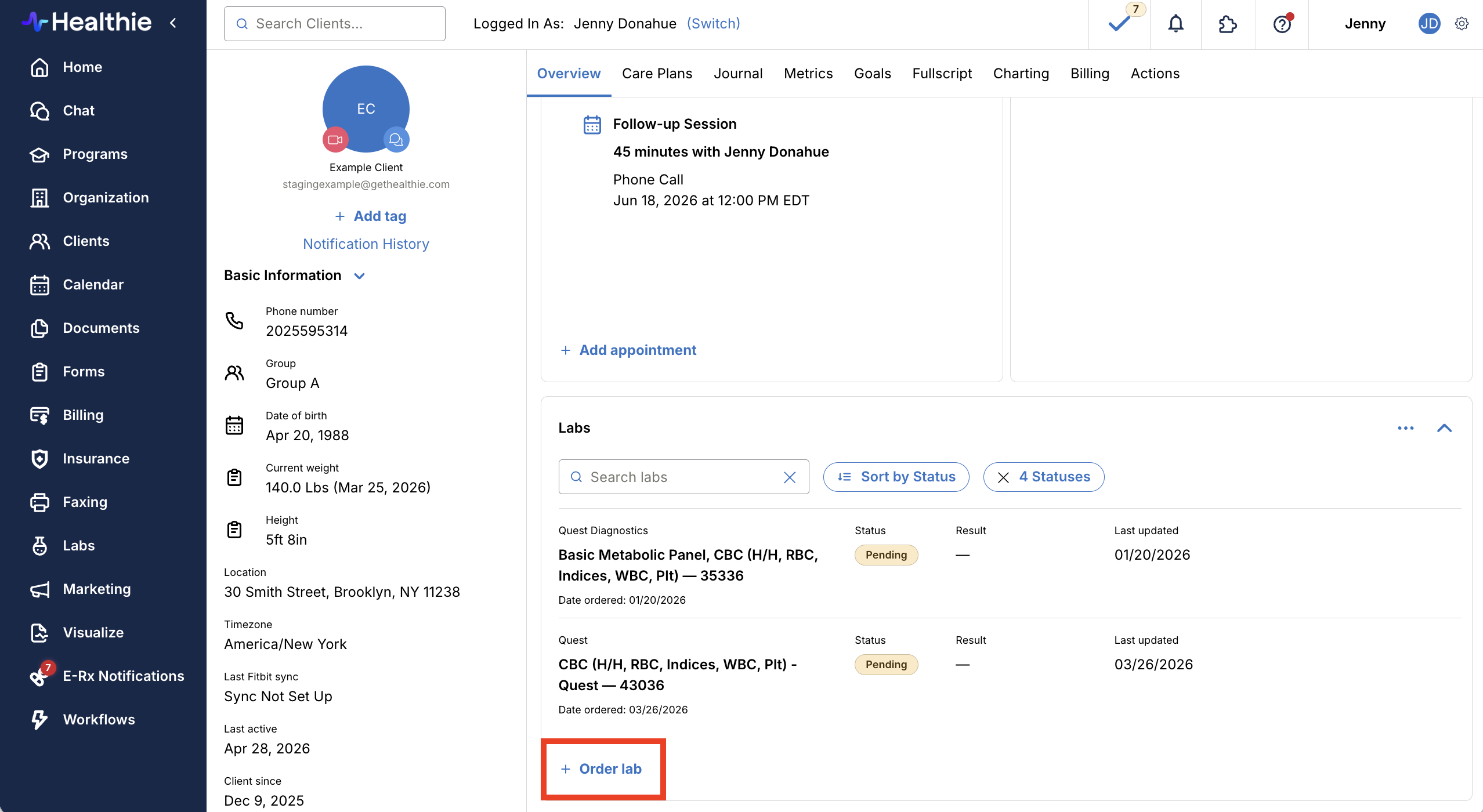
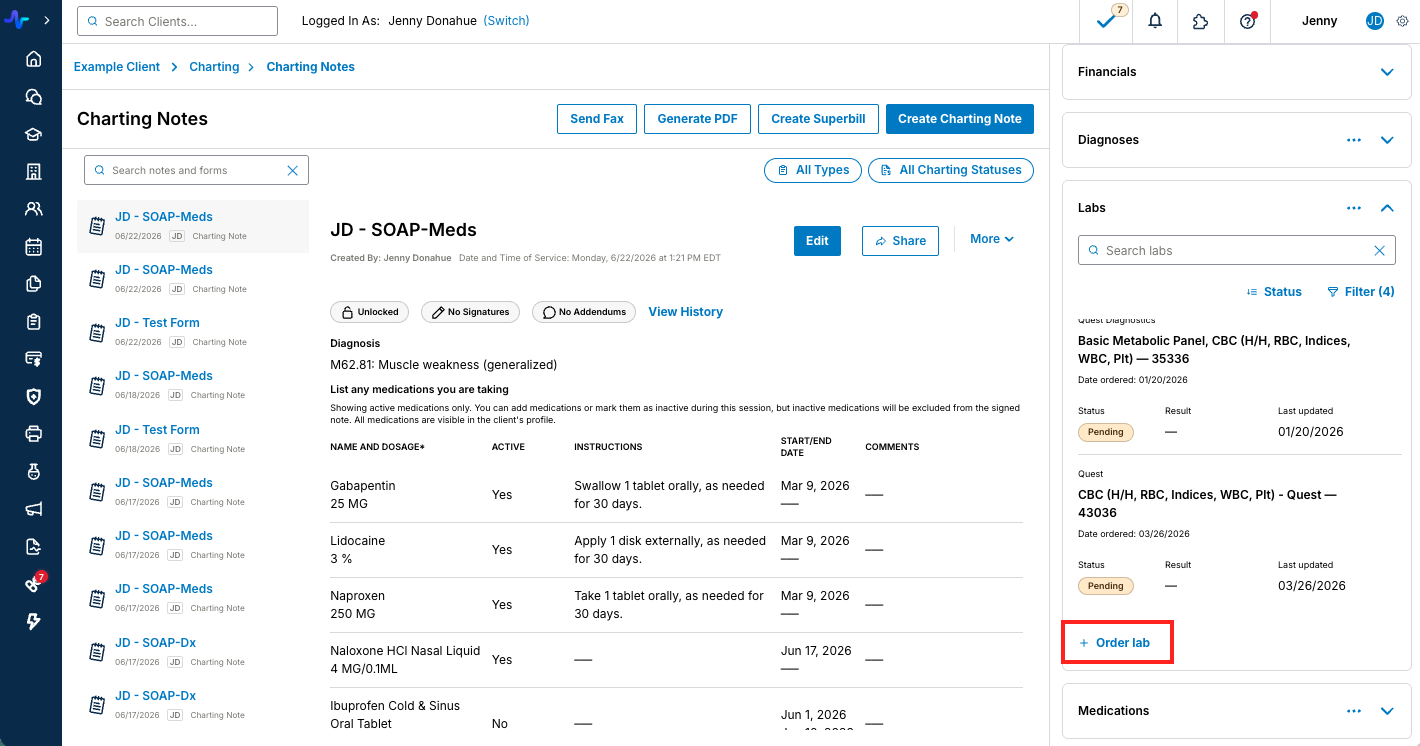
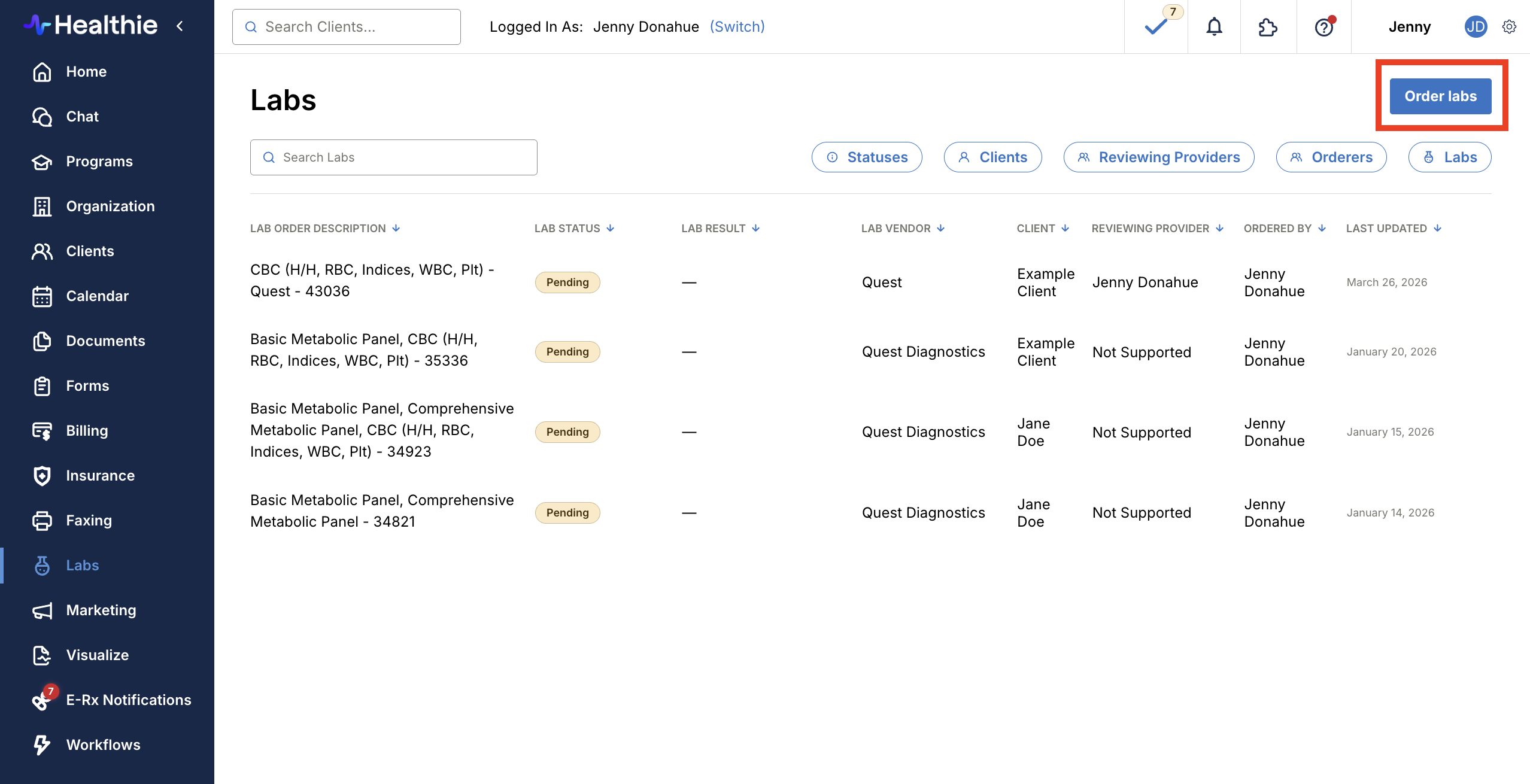
- Providers can initiate Fullscript orders from the Fullscript tab and any lab entry points: the main Labs tab, the Client Profile Overview, and the Quick Profile. Navigate to one of these locations.
- Click the button to "Add Product Recommendation" or "+Order labs". Providers who have not yet connected Fullscript will be prompted to do so via the Labs page button.
- You’ll be redirected in a new tab to sign-in or sign-up for Fullscript, then agree to terms and conditions. Upon completion, this will redirect you back to your original page.
Note: if you have pop-ups disabled on your browser, the Fullscript window will not appear. Enable it on your browser settings and click to connect again.
- Once you log-in or sign-up for Fullscript, within Fullscript navigate to Labs > Catalog > Register for labs and follow the prompts.
If you already have your Fullscript account linked to Healthie for supplements, you won’t need to re-link but you will need to register for labs and enable the necessary permissions.
As a clinician, if you see the error message "You are not authorized to perform this action", You will need to contact your account administrator who can adjust your permissions, following these instructions.
For Organizations
Healthie enables organizations that use Fullscript to use an Organization Fullscript plan, or enable practitioners to have their own Fullscript accounts. More details available here.


Creating lab recommendations and orders
Providers can initiate Fullscript orders from the Fullscript tab, main Labs tab, the Client Profile Overview, and the Quick Profile.
Note: in order to initiate Fullscript orders from the Client Profile Overview, Quick Profile and Labs tab, the permissions "Can view labs", "Can order labs", and "Should see option to use Fullscript within Healthie" must be enabled.
To recommend or order Fullscript products through Healthie:
- Navigate to the Fullscript tab, main Labs tab, the Client Profile Overview, or the Quick Profile.
- Click the button to "Add Product Recommendation" from the Fullscript tab, or "+Order lab" from the Labs tab, Client Profile Overview and Quick Profile.
- You will be redirected to Fullscript in a new tab and Fullscript will add or match the client from your Healthie account.
- Within your Fullscript account, you can click on Labs > Catalog > locate the labs and/or supplements for your client > click Add to plan for each.
- When you’re finished, Click Review Plan. In this view, you can include a message to your client and make any necessary edits to the plan before sending.
- To finalize, you can either Recommend and have the patient process payment by clicking Send to patient, or Order by checking the "I’ll pay for the patient’s order" box and following the payment instructions. View the FAQs below for more information on payments.
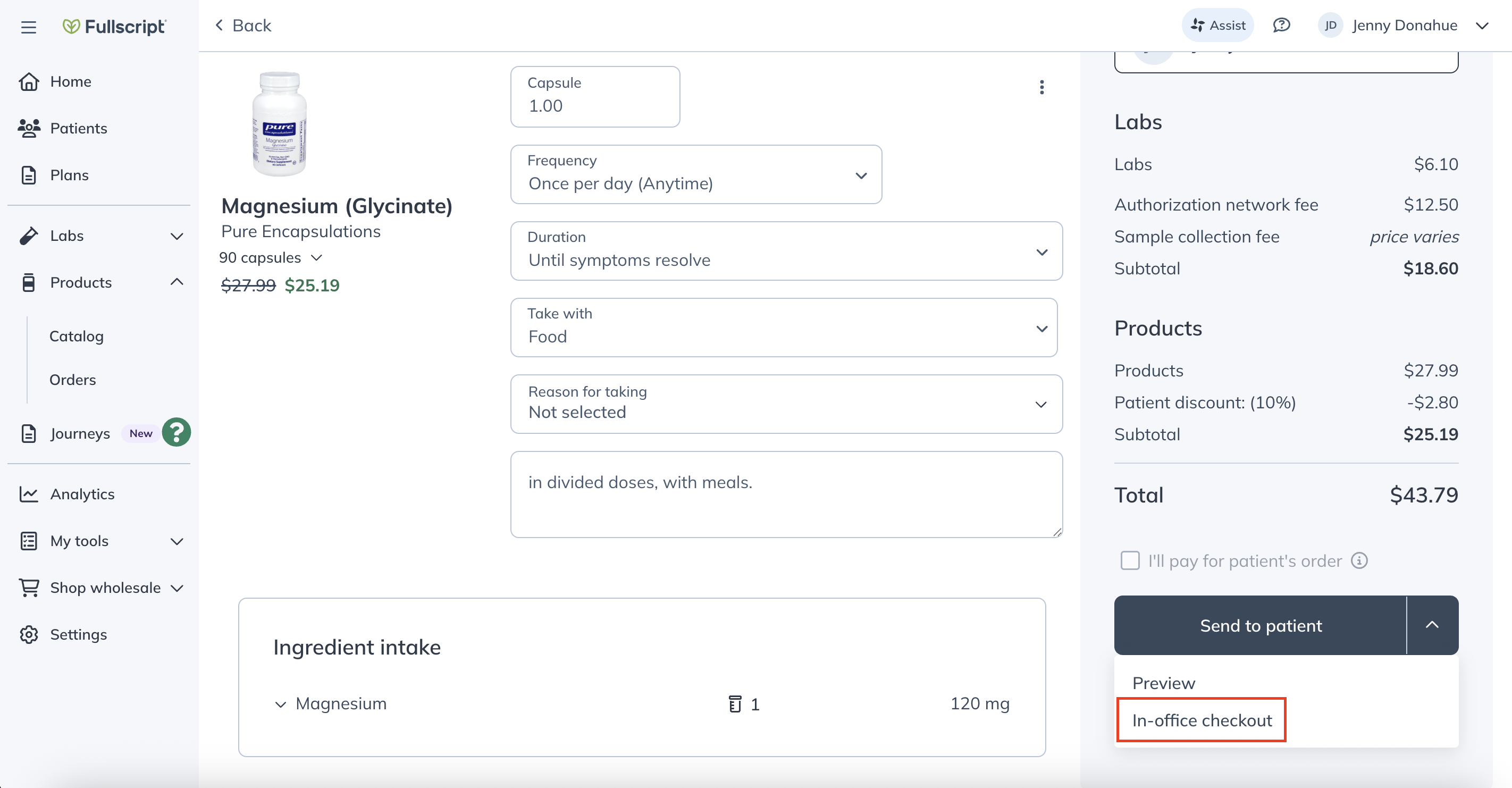
Note: the "I'll pay for my patient's order" option is available for plans that contain lab tests only. If a plan contains supplements, click the down arrow next to Send to patient and select "In-office checkout" to pay for the plan and invoice the client within Healthie.



Managing recommendations and orders
Fullscript labs that have been ordered or completed with results ready-to-view will display in the Client Overview and Labs tab. Labs are considered ordered once they've been paid for by you or your client.


To view all Fullscript recommendations and orders, including ones that have not been paid for, log-in to your Fullscript account and navigate to Plans.

The Fullscript tab within a Healthie client portal will display all Fullscript supplement recommendations and orders, along with the status of the order.

Viewing and managing lab results
Lab results will display in the Labs tab, Client Profile Overview and the client's Quick Profile with filtering capabilities.


If a lab is ordered from a shared organization Fullscript account, the lab result will return to the client's provider in Healthie and the provider will be notified that new lab results are available to view. Within the Labs tab, the "Ordered By" column will display as "UNKNOWN".
To assign an ordering provider:
- Click the edit pen icon next to the "UNKNOWN"
- Select the provider to assign from the dropdown
- Click Assign


Client experience and troubleshooting
Clients will receive emails from Fullscript when you send a personalized plan to them. The email will include a link to view their plan and complete an online checkout, if applicable. Fullscript will additionally send email reminders if the client does take action on their recommended plan.
You can share this resource with clients, to help them navigate the experience of Fullscript and Healthie.
The Fullscript Support Center can assist you with test-specific questions and preparation guides, questions about provider and client prerequisites for using Fullscript Labs, technical support for order or shipping issues, and more.
FAQs
When do labs display in Healthie?
Only lab orders that have been purchased/officially ordered will show in your Labs tab to avoid confusion between “recommended” and “pending”.
You can review ALL recommended orders in Fullscript, but only those paid for by the client or provider will post as “pending” in the Healthie Labs tab.
Will I receive a notification when lab results are in for a client?
Providers will receive an email when Fullscript lab results are ready to view in Healthie.
Will Healthie display products that were ordered directly through Fullscripts, outside of the Healthie client portal Fullscripts tab?
Yes, these will display if they were ordered after the client’s Healthie portal has been connected to Fullscript.
If an lab order is placed through a shared account, who will receive the lab results?
The provider assigned to the client will receive the lab results in their account, and anyone with access to the lab results can edit the ordering provider for a lab test.
Will any historical Fullscript recommendations or completed lab results sync with Healthie?
Not at this time. Lab history and results for orders placed prior to the activation of the integration will not be pulled into Healthie. You can log-in to your Fullscript account to view a comprehensive list of all recommendations and orders for your clients.
Can I recommend labs for all of my clients in Healthie?
Fullscript labs are currently available only to adult patients ages 18 and older, and those living in the US (except NY, NJ, RI and HI). Visit Fullscript to learn more.
How do payments work for Fullscript Labs?
Healthie and Fullscript offer extremely flexible payment options for labs and supplements.
If you send a plan through Fullscript to a client, they will receive an email from Fullscript linking to an online checkout.
You can also cover the payment through Fullscript and, if desired, invoice the client through Healthie. Based on your practice model, invoicing the client through Healthie can unlock opportunities to set your rate and add in any additional fees and services, e.g. a follow-up lab consultation.


Healthie also supports a manual Superbill, which you can create and provide to your client.
I have a Healthie “support” role, how can I use the Fullscript integration?
The Fullscript integration with Healthie only supports administrator and “standard” roles.
How do I adjust my Fullscript communication and notification settings?
Visit the Fullscript Support Center to learn how to manage your Fullscript communication preferences.